
CASE STUDY
Built for Problems That Weren't Real Yet
A configurable wireframe component library and onboarding system built for a design agency's team
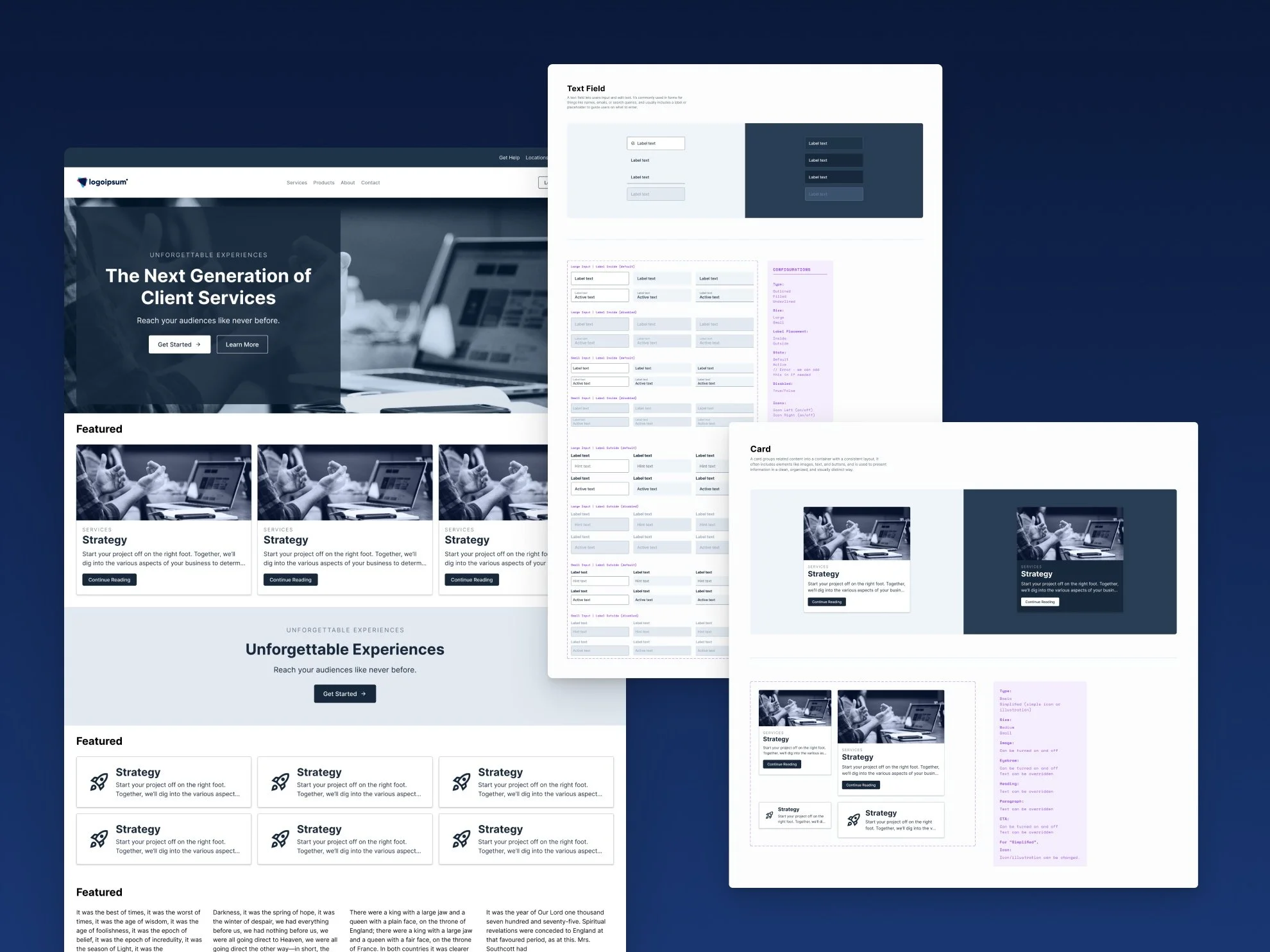
Some of Austin & Williams' design team was still getting comfortable with Figma, and every new client project meant starting close to scratch, rebuilding common patterns and repeating the same UX decisions project after project.
Their VP of Digital Experience wanted a way to get the team moving faster from a stronger foundation, but the library couldn't be built around any single client's needs.
It had to work across all of them.
The Brief vs. The Real Problem
The VP came to me with a clear, specific ask: build a wireframe component library the design team could use across their client work. A library like this couldn't be designed around any one project. It had to anticipate a wide range of problems the team might run into across dozens of future client engagements, for clients that didn't exist yet, while still being simple enough for people still ramping up on Figma to actually use.
Research & Discovery
To ground the library in real needs rather than guesswork, I looked through a range of design work Austin & Williams had recently delivered for clients and pulled out the patterns that kept showing up, the layouts, components, and structures the team was already reaching for again and again. That gave me a practical starting point built on what the team's work actually required, rather than a theoretical list of everything a component library could possibly include.
Strategic Decisions & Tradeoffs
A library built to handle "most problems that could come up" naturally meant a lot of components and a lot of configuration options, and that kind of range could easily work against a team still ramping up on Figma. I built the configuration into the components themselves, managed through Figma's standard properties panel, so using them mostly meant dragging a piece in and adjusting a few obvious settings rather than learning to build anything from scratch. The team was also large enough that people could lean on each other when something wasn't obvious, and I spent time training them directly, so the complexity never had to be solved by any one person alone.
I also added a layer that wasn't part of the original ask: variables set up so a design could go from generic wireframe to a client's actual branding by swapping a handful of values, like a primary text color or page background, in one place rather than updating them throughout a file. I built that in without charging extra for it or adding meaningful time to the project, since it fit naturally into how the components were already structured. It wasn't something the VP asked for, but it meant that if the team wanted to use it that way, the option was already there.
The Work
The library covered the full range of what a team would need to design a site or application: small foundational elements like form fields and buttons, and larger block-level pieces like headers, footers, heroes, promos, card grids, quick links, column layouts, and forms. Every component's configuration options lived inside Figma's right-hand properties panel, the same place designers already look to adjust anything else, so nothing required a separate system to learn. Branding worked the same way, swap a variable like textPrimary or pageBackground in one place, and the change applied everywhere that variable was used across the components.
Documentation lived directly inside the Figma file itself, right alongside the components it explained, so the team never had to leave the place they were actually working to understand how something functioned. I also ran a short training session, about twenty minutes walking through the most important parts of the file and how to work with it, followed by open time for the team to ask whatever questions came up.
Outcomes & Impact
I wasn't able to track how the library performed once it was in the team's hands, so I can't point to specific outcomes here. What I can say is that the system was built with real intention around easy adoption, configuration through familiar Figma patterns, documentation embedded where the work happened, and training scaled to the size of the engagement rather than overbuilt for its own sake.
Closing Reflection
This project confirmed something about the kind of problem-solving I enjoy most: anticipating the range of situations something might need to handle before any of them are actually real. Building a system that has to hold up across a dozen theoretical future client needs is a different kind of challenge than fixing something that's already broken in front of you, and it's the kind of work I find myself drawn to.